



Why Your Business Is Not Showing on Google Maps
Are you frustrated because your business not showing on google maps? This usually happens due to unverified profiles, suspended listings, poor local SEO, or inconsistent business information. To fix it, you must verify your profile, ensure accurate details, and optimize your local ranking factors to regain visibility fast.
As a local search specialist with over 10 years of experience, I see business owners panic over this issue daily. The good news? It is almost always fixable. This comprehensive guide will walk you through exactly why your listing is hidden and provide actionable, step-by-step solutions to get your business ranking where your customers can actually find you.
Key Takeaways
- Verification is Mandatory: Unverified profiles are the #1 reason for a missing Google Maps presence.
- Guidelines Matter: Violating Google’s strict naming and address policies will lead to instant suspension.
- SEO Drives Visibility: Just existing on Maps isn’t enough; you need strong local SEO to outrank competitors in the Local Pack.
- Consistency is Key: Your Name, Address, and Phone number (NAP) must be identical across the entire internet.
What is Google Maps Business Visibility?
Google Maps visibility refers to how prominently your Google Business Profile ranks when users search for local services. It dictates whether customers see your storefront or service area in the map results, directly impacting your foot traffic, incoming phone calls, and local revenue.
Why Is My Business Not Showing Up on Google Maps?
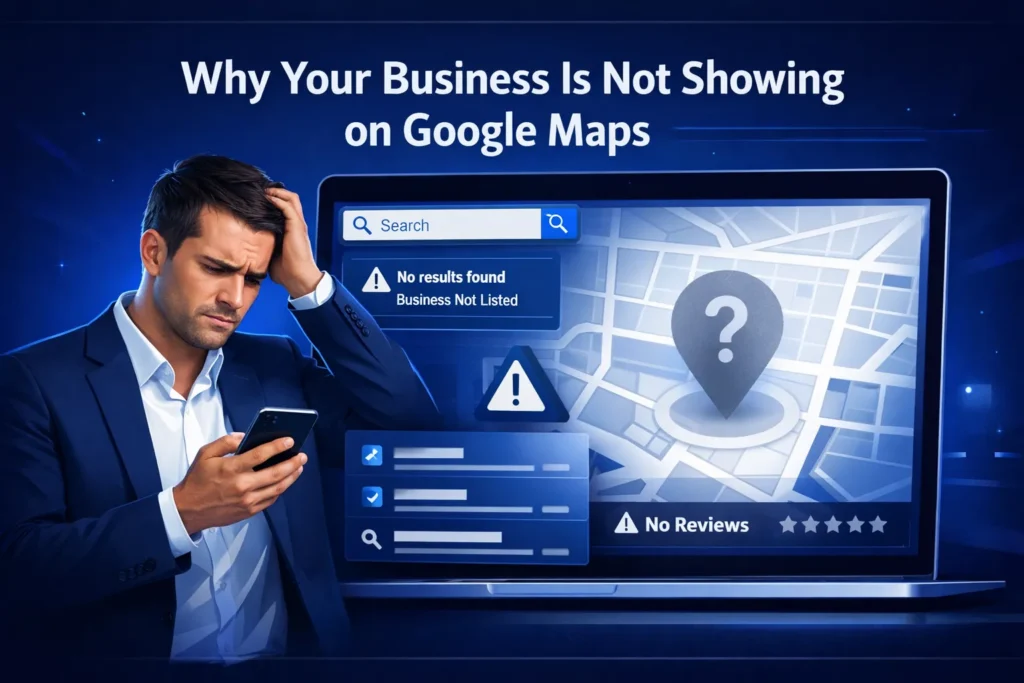
If you are asking, “Why is my business not showing up on Google Maps?”, the answer typically lies in profile status, verification delays, or algorithmic filtering. Google prioritizes established, verified, and relevant businesses over new or incomplete profiles.
When a business not showing on google maps, the root cause usually falls into one of a few common categories. Let’s explore the technical and SEO-related reasons your listing is invisible to potential customers.
Google Business Profile Verification is Incomplete
Creating a profile does not automatically make it live. You must complete the Google Business Profile verification process. Google uses postcard verification, video uploads, or phone/email codes to prove you actually operate at the stated location. Until this step is finalized, your profile remains hidden from the public eye.
A Suspended Google Listing
If your profile was visible yesterday but is gone today, you likely have a Suspended Google listing. Suspensions happen for two main reasons:
- Hard Suspensions: Your listing is completely removed from Google Maps and Search, usually for severe guideline violations (e.g., keyword stuffing your business name).
- Soft Suspensions: Your listing still appears, but you lose the ability to manage it, and it drops drastically in rankings.
Added Business to Google Maps But Not Showing
If you recently Added business to Google Maps but not showing, remember that Google’s algorithm requires time to index and publish new data. Give it at least 72 hours before assuming there is a technical error.
Processing Delays and Google Maps Business Listing Pending
It is incredibly common to see a Google Maps business listing pending status in your dashboard. During this phase, manual reviewers or automated systems are cross-referencing your submitted data against other online directories to ensure authenticity. If your business is brand new and has zero digital footprint elsewhere, this pending status can drag on for days or even weeks.
Service Area vs. Storefront Confusion
Google has strict rules regarding physical addresses. If you operate out of your home or deliver services to customers (like a plumber or landscaper), you must list yourself as a Service Area Business (SAB) and hide your physical address. If you display a residential address, Google will flag the account, resulting in your business not showing on google maps.
Google Business Profile Not Publicly Visible: The SEO Factor
A Google Business Profile not publicly visible doesn’t always mean your account is suspended; it often means your local SEO is so weak that Google places you on page 10 of the map results. To the average searcher, you are effectively invisible.
Lack of Prominence
Google ranks businesses based on how well-known they are. If your competitors have hundreds of five-star reviews, high-quality photos, and detailed service descriptions, while your profile is bare, Google will naturally hide your listing in favor of the competition.
Poor NAP Consistency (Name, Address, Phone)
One of the silent killers of local visibility is a lack of NAP consistency (Name, Address, Phone). If your business is listed as “Bob’s Auto” on Yelp with an old phone number, but “Bob’s Auto Repair” on Google with a new number, Google loses trust in your data. Conducting a comprehensive seo audit dubai is the best way to uncover these mismatches and clean up your digital footprint across the web.
How to Fix Google Maps Listing Not Showing
Wondering How to fix Google Maps listing not showing? The solution requires logging into your Google Business Profile manager, diagnosing the specific error or status warning, and methodically addressing Google’s requirements for verification and quality.
Follow these proven steps to resolve the issue:
- Check Your Status Dashboard: Log into your Google Business Profile. Look for red banners. Does it say “Pending,” “Suspended,” or “Verification Required”?
- Complete the Verification: If prompted, choose a verification method. Video verification is becoming the standard for 2024–2025. Ensure you show your street sign, storefront, and proof of management (like unlocking the front door or accessing a POS system).
- Fix Guideline Violations: Remove any promotional language or keywords from your business name. Make sure your address is formatted exactly as the post office recognizes it.
- Submit a Reinstatement Form: If you are suspended, correct the errors first, then submit a single reinstatement request to Google Support. Do not submit multiple tickets, as this will push you to the back of the queue.
Understanding Local SEO Ranking Factors
If your profile is live but buried underneath competitors, you need to master Local SEO ranking factors. Google’s algorithm uses three primary pillars to determine where you rank on the map: Relevance, Distance, and Prominence.
- Relevance: How well does your local listing match what someone is searching for? Optimizing your business categories and adding specific services is crucial here.
- Distance: How far is the searcher from your business location? While you can’t change your physical location, optimizing your profile helps you cast a wider net.
- Prominence: How well-known is your business? This is based on links, articles, directories, and review counts. Investing in professional local seo services dubai is a highly effective way to build this prominence and signal authority to Google’s algorithms.
Boosting Your Google Local Pack Visibility
Google Local Pack visibility is the ultimate goal of local SEO. The Local Pack refers to the top three map listings that appear directly on the main Google search results page, driving the vast majority of local clicks.
To break into these top three spots, merely having a verified profile is insufficient. You need an active, optimized presence. This includes posting weekly updates, responding to every single customer review (both positive and negative), and uploading geo-tagged photos of your business. Because this process is time-consuming, many business owners rely on specialized google my business seo services in dubai to manage their profiles, ensuring they stay active, optimized, and highly visible in the Local Pack.
The Role of Website Authority and Off-Page Signals
Your Google Maps ranking is heavily influenced by the website linked to your profile. If your website has low domain authority and no backlinks, your map listing will struggle to rank. High-quality off-page signals act as votes of confidence for your local business.
Building local citations (mentions of your business on sites like Yelp, YellowPages, and local chambers of commerce) is vital. Furthermore, earning backlinks from relevant, high-authority websites tells Google that you are a trusted entity. Utilizing robust off page seo services in dubai builds the external authority required to push your Maps listing past stubborn competitors. Ultimately, partnering with a top-tier seo agency dubai can provide the holistic strategy needed to merge your website’s power with your Google Maps presence.
Visible vs. Invisible Profile: A Comparison
To help you understand why your business not showing on google maps, compare the traits of a highly visible profile versus a hidden one:
| Feature | Highly Visible Google Profile | Hidden / Invisible Google Profile |
| Status | Verified and Active | Unverified, Pending, or Suspended |
| Business Name | Exact real-world name | Stuffed with keywords (e.g., “Plumber Near Me”) |
| NAP Consistency | 100% accurate across all directories | Mismatched addresses and old phone numbers |
| Reviews | Steady stream of replied-to reviews | Zero reviews, or ignored negative reviews |
| Website Link | High-authority, locally optimized site | No website, or a broken/slow loading page |
Expert Insight & Case Study: Recovering Lost Map Rankings
Industry Data (2024–2025): Recent industry reports indicate that over 40% of small businesses will face a temporary map suspension or severe ranking drop due to algorithm updates and stricter AI-driven spam filters.
Real-World Case Study:
Consider a local dental clinic that suddenly vanished from Google Maps. They had been in the top 3 for years. Upon investigation, we discovered two issues:
- The receptionist had updated their office hours on Google but failed to update them on their website and Facebook page, creating a trust flag.
- A competitor had maliciously reported their profile name for containing a slight keyword variation.
The Fix: We standardized their NAP data across 50+ local directories, removed the flagged keyword from their Google business name, and submitted a reinstatement request with proof of business (utility bills and licensing). Within 48 hours, the profile was restored. Within two weeks of aggressive local citation building, their top-3 ranking returned.
Pro Tip: Always keep a folder on your computer with your business license, recent utility bills, and photos of your permanent storefront signage. If your listing ever gets suspended, having these documents ready will cut your reinstatement time in half.
Reasons for Our Business Not Appearing
Verification Issues
One of the fundamental reasons our business may not show up on Google Maps is verification. If we have recently added our business to Google Maps but it is not showing, it is essential to ensure that we have completed the verification process. Google requires business owners to verify their listings to confirm that they are legitimate entities. Verification methods include receiving a postcard from Google at our business address, phone verification, or through email or video. If we have skipped this step, our business will not be publicly visible, leading to potential customers being unaware of our existence online.
Incomplete or Incorrect Information
Another common issue is the presence of incomplete or incorrect information in our Google Business Profile. Google favors businesses that provide complete and accurate information, including:
Business name
- Physical address
- Contact information
- Business hours
- Service areas
- Relevant categories
If any of this essential information is missing or incorrect, we risk our business not appearing in searches.
For instance, if we have listed a service area that does not align with the location of our customers, we may be overlooked when potential clients search for services in our vicinity.
Listing Suspension Causes
Sometimes, our Google Business Profile may face suspension, which may explain why our business is not showing on Google Maps. Common causes for suspension include:
Violating Google’s guidelines, such as keyword stuffing in the business name or creating multiple listings for the same entity.
- Using a P.O. box or virtual office address while claiming a physical presence.
- Providing outdated or inaccurate information.
If our listing is suspended, we need to check our Google Business Profile for any notifications that reveal the cause and take immediate action to rectify the issue.
Enhancing Our Google Business Profile
Complete Our Profile Fields
To ensure visibility on Google Maps, we must complete every section of our Google Business Profile. This includes not only filling out the basic fields but also optimizing all sections with relevant content. Engaging descriptions of our services, frequent updates through Google Posts, and attractive images can enhance our listing’s appeal. Each element we add acts as a signal to Google about the relevance and activity of our business, making it more likely for our profile to show up in local searches.
Optimize Business Information
Accuracy and detail in our business information are crucial. We should ensure that our business name matches exactly as it appears in the physical world, our address is complete and consistently formatted, and we select the most relevant business category. Neglecting to optimize these details can lead to confusion over our listing and diminish its visibility. Keeping our profile up-to-date with accurate hours, special events, and promotions is also vital to maintain engagement and relevance.
Engage with Our Audience
Regular interaction with our audience through our Google Business Profile can enhance our visibility. Responding to customer reviews, answering questions in the Q&A section, and updating posts about promotions or changes can signal to Google that we are active and engaged. This engagement not only builds trust with prospective customers but also improves our chances of being ranked favorably on Google Maps.
Improving Local Search Authority
Building Location Authority
Google assesses our business authority based on various factors, including the consistency of our online information and the volume and quality of reviews. Encouraging satisfied customers to leave positive reviews can help boost our location authority. We should also maintain consistent Name, Address, and Phone number (NAP) information across all platforms, including our website and social media. This consistency builds trust with Google and improves our chances of ranking higher in search results.
Ensuring Consistency Across Platforms
To help our business show up on Google Maps, we must ensure that our NAP details match across online directories and platforms. Discrepancies can confuse Google and customers alike, leading to diminished trustworthiness. Completeness and accuracy across all listings and social media platforms can help secure our position in local search results.
Leveraging Local Content
Creating content that is relevant to our local audience can significantly enhance our visibility. We should strive to engage with local community events, news, and relevant topics in our blog posts or social media updates. This not only positions our business as a local authority but also signals to Google that our business is relevant to the local area.
Advanced Strategies for Better Visibility
Implementing Local Schema Markup
To take our Google Maps presence to the next level, we can implement local schema markup on our website. Schema markup is a specific code that provides additional information to search engines about our business, helping Google better understand our offerings. By providing structured data, we can make it easier for Google to index our site, potentially improving our chances of being found in local searches.
Utilizing Google Ads for Visibility
While improving organic visibility is ideal, sometimes we may need to turn to paid advertising to enhance our presence. Utilizing Google Ads with location extensions can help our business appear prominently on Google Maps, drawing more attention to our products or services. This can be especially useful when coupled with organic strategies to yield better results over time.
Monitoring Competitor Activities
Keeping an eye on our competitors can give us valuable insights into successful strategies they are employing. By analyzing their Google Business Profile, we can identify effective tactics, whether it’s through their engagement with customers, content updates, or promotional offerings. Adapting successful strategies from our competitors may help us enhance our Google Maps visibility.
Conclusion
Discovering your business not showing on google maps is a stressful experience, but it is rarely a permanent problem. By understanding the core reasons—whether it is a simple pending verification, a strict policy suspension, or a lack of localized SEO authority—you can take immediate, targeted action.
Start by auditing your Google Business Profile dashboard for errors. Ensure your NAP data is flawlessly consistent, focus on building local prominence through reviews and backlinks, and strictly adhere to Google’s naming and location guidelines. By treating your Google Maps listing as a vital, actively managed asset rather than a “set it and forget it” tool, you will secure the visibility needed to dominate your local market.
Frequently Asked Questions (FAQ)
Why is my Google Maps business listing pending for so long?
Google states verification can take up to 7 days, but manual reviews can push this to 14 days or more. If it exceeds two weeks, contact Google Business Profile Support directly through your dashboard to expedite the process.
How do I know if I have a Suspended Google listing?
You will receive an email notification from Google, and when you log into your Google Business Profile manager, you will see a prominent red banner stating “This location has been suspended.”
Can I rank on Google Maps without a physical storefront?
Yes. You can set up as a Service Area Business (SAB). You will need to clear your address so it doesn’t show publicly on the map, and instead define the zip codes or cities you travel to.
Will bad reviews cause my business not showing on google maps?
Bad reviews won’t usually cause your profile to be deleted or suspended, but a poor average star rating severely harms your “Prominence” ranking factor, causing the algorithm to push your business far down the list.
Why is my business not showing on Google Maps despite having a listing?
Several reasons could explain our business not showing on Google Maps, including verification issues, missing or incorrect information, or possible suspension of our listing due to guideline violations.
What factors could cause my business to be hidden on Google Maps?
Factors include incomplete profile information, a lack of engagement, low location authority, or even proximity to the user searching. If our business is not relevant to the search or if we have a poor online reputation, our visibility could be impacted.
How can I troubleshoot my business not appearing on Google Maps?
To troubleshoot, we should start by verifying our business listing, checking for completeness and accuracy of all profile fields, and ensuring no guideline violations are present. Monitoring customer interactions and encouraging reviews is also essential.
What should I do if my business information is incorrect on Google Maps?
If we notice incorrect information, we should log into our Google Business Profile and update the necessary fields. It’s important to ensure all changes are accurate and reflect our current business status, including our NAP information.


4 Comments
How to Rank on Google Maps Dubai — SEO Expert Guide
March 30, 2026 at 5:42 pm[…] Why Your Business Is Not Showing on Google Maps — Diagnose and fix the specific reasons your business is invisible in local […]
Local SEO Checklist UAE — SEO Expert Guide
March 31, 2026 at 6:33 pm[…] Why Your Business Is Not Showing on Google Maps — Diagnose specific reasons your business is missing from local search […]
What Is Local SEO? Expert Guide for Businesses
April 7, 2026 at 8:01 am[…] Why Your Business Is Not Showing on Google Maps — Diagnose and fix the most common reasons your business is invisible in local […]
NAP Consistency SEO — Why It Matters & How to Fix - SEO Experts
April 12, 2026 at 3:53 pm[…] Why Your Business Is Not Showing on Google Maps — Diagnose NAP and other issues causing Google Maps […]