


Schema markup is structured data code added to your website’s HTML that helps search engines understand your content — and display it as rich results in Google. To add schema markup, implement JSON-LD code in your page’s <head> section, use a WordPress plugin like Rank Math or Yoast, or generate it via Google’s Structured Data Markup Helper. Done correctly, it unlocks star ratings, FAQs, product prices, and more directly in search results.
Key Takeaways
- Schema markup is structured data that communicates the meaning of your content to search engines in a machine-readable format.
- JSON-LD is Google’s recommended format for implementing schema markup — it’s the cleanest and easiest to maintain.
- Rich results (star ratings, FAQs, product info, breadcrumbs) are the direct SERP reward for correctly implemented schema.
- Schema markup for local SEO is one of the most impactful implementations for businesses targeting geographic audiences.
- WordPress users can add schema markup with Rank Math or Yoast SEO without touching code.
- ChatGPT can generate schema markup code quickly — but always validate output with Google’s Rich Results Test before deploying.
What Does Schema Markup Mean?
Schema markup is a standardized vocabulary of code — maintained at Schema.org, a collaborative project by Google, Bing, Yahoo, and Yandex — that you add to your website’s HTML to give search engines explicit context about your content. It tells Google not just what your page says, but what it means.
In practical terms: without schema markup, Google reads your page like a document. With schema markup, Google reads it like a database entry — understanding that a number is a price, a string is a business name, a block of text is a review, and a date is an event start time. This deeper understanding enables rich results.
Schema Markup Benefits: Why It Matters for Your SEO
The schema markup benefits extend far beyond aesthetics in search results. Implemented correctly, structured data creates measurable improvements across multiple SEO and conversion metrics.
Direct SEO and Business Benefits
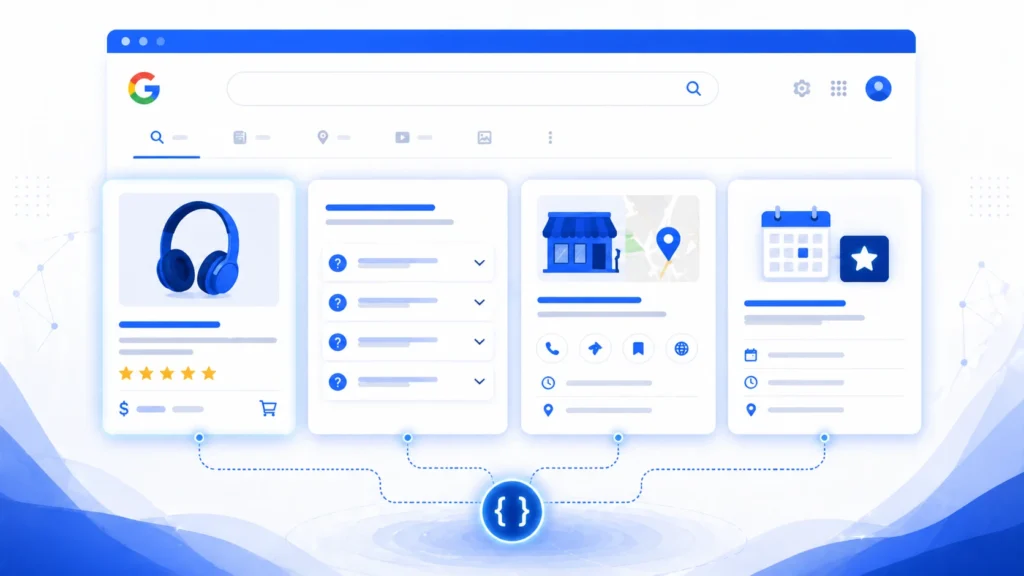
- Rich results in Google: Star ratings, FAQ accordions, product prices, event dates, recipe details, and breadcrumbs all appear as a direct result of correct schema implementation.
- Improved click-through rate (CTR): Pages with rich results consistently outperform standard blue links. Studies show CTR improvements of 20–30% for pages with star ratings or FAQ rich results.
- Featured snippet eligibility: Schema helps Google identify the most answer-worthy content on your page, increasing featured snippet candidacy.
- Voice search and AEO readiness: Structured data is the primary way smart speakers and AI assistants extract precise answers — making schema essential for Answer Engine Optimization.
- E-commerce product visibility: Schema markup for e-commerce websites enables Google Shopping-style product cards in organic results — including price, availability, and review scores.
- Local search dominance: Local Business schema communicates your NAP (Name, Address, Phone), opening hours, and service area directly to Google — directly supporting local pack rankings.
For businesses serious about technical search performance, running a seo audit dubai will identify which schema markup types are missing from your site and where the highest-impact implementation opportunities lie across your page inventory.
Types of Schema Markup in SEO: The Most Important Categories
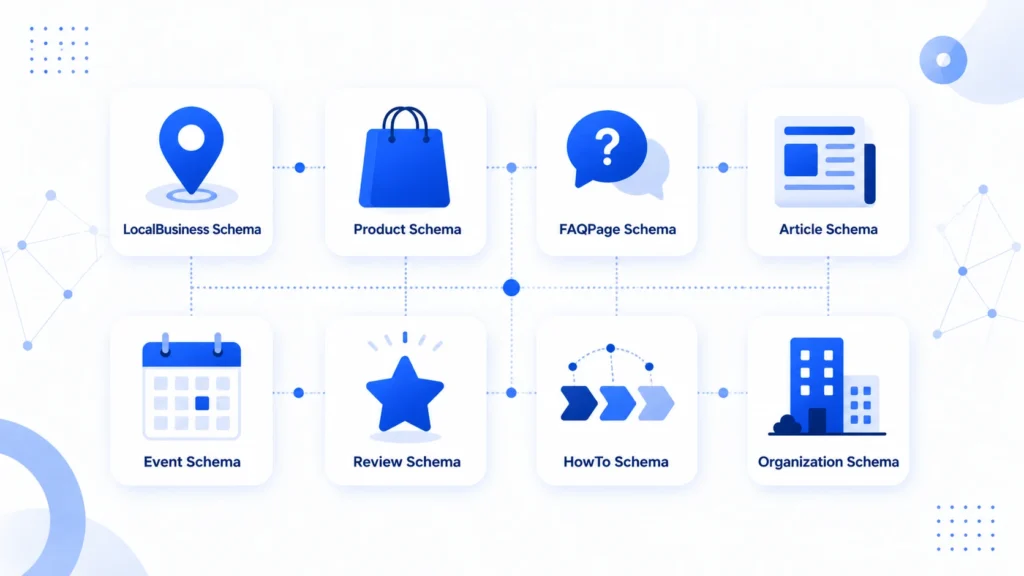
There are over 800 schema types in the Schema.org vocabulary, but for most websites, a focused set of high-impact types delivers the majority of the benefits. Here are the most important categories to know.
| Schema Type | Rich Result Unlocked | Best For | Priority |
| LocalBusiness | Map pack info, hours, NAP | All local businesses | Critical |
| FAQPage | FAQ accordion in SERP | Blog, service pages | High |
| Product | Price, rating, availability | E-commerce | Critical |
| Article / BlogPosting | Breadcrumbs, publish date | Content sites | Medium |
| Review / AggregateRating | Star ratings in results | Any review content | High |
| BreadcrumbList | Breadcrumb trail in URL | Multi-level sites | Medium |
| Event | Date, venue, ticket info | Events / hospitality | High |
| HowTo | Step-by-step rich result | Tutorial content | Medium |
| Organization | Knowledge panel signals | Brand pages | Medium |
| WebSite / Sitelinks Search | Sitelinks search box | Large websites | Low–Medium |
What Is the Recommended Format for Implementing Schema Markup?
Google officially recommends JSON-LD (JavaScript Object Notation for Linked Data) as the preferred format for implementing schema markup. There are three formats total — JSON-LD, Microdata, and RDFa — but JSON-LD has decisive advantages for most use cases.
JSON-LD vs Microdata vs RDFa: Comparison
| Format | Implementation | Maintenance | Google Support |
| JSON-LD | Script tag in <head> | Easy — separate from HTML | Recommended |
| Microdata | Inline HTML attributes | Hard — intertwined with HTML | Supported |
| RDFa | Inline HTML attributes | Complex — verbose syntax | Supported |
Why JSON-LD wins: It lives in a separate <script> block and doesn’t touch your visible HTML. This means you can update schema without risking layout changes, and developers can work on it independently of front-end code. It’s also far easier to generate, test, and debug.
How to Add Schema Markup to HTML: Step-by-Step
Adding schema markup directly to HTML is the most universal method — it works on any website regardless of CMS or platform. Here is the exact process.
Step 1: Choose Your Schema Type
Determine which schema type is most relevant to the page you’re optimizing. A service page for a Dubai business would use LocalBusiness. A blog post would use Article or BlogPosting. A product page would use Product.
Step 2: Build Your JSON-LD Code

Structure your JSON-LD block using the correct schema.org properties. Here is a complete LocalBusiness example for a Dubai-based company:
| CODE EXAMPLE<script type=”application/ld+json”>{ “@context”: “https://schema.org”, “@type”: “LocalBusiness”, “name”: “Your Business Name”, “description”: “What your business does”, “url”: “https://yourdomain.com”, “telephone”: “+971-4-000-0000”, “address”: { “@type”: “PostalAddress”, “streetAddress”: “Your Street Address”, “addressLocality”: “Dubai”, “addressRegion”: “Dubai”, “addressCountry”: “AE” }, “openingHours”: “Mo-Fr 09:00-18:00”, “priceRange”: “AED 500 – AED 5000”, “image”: “https://yourdomain.com/logo.jpg”}</script> |
Step 3: Place the Code in Your Page’s <head> Section
Copy the completed JSON-LD script block and paste it within the <head>…</head> tags of your HTML. It can also go just before the closing </body> tag — Google processes it either way.
Step 4: Validate With Google’s Rich Results Test
Before publishing, test your implementation at Google’s Rich Results Test (search.google.com/test/rich-results). Paste your URL or code directly. The tool will show detected schema types, eligible rich results, and any errors or warnings to fix.
Step 5: Monitor in Google Search Console
After publishing, use google search console service dubai to monitor the ‘Enhancements’ section — this shows how many pages have valid schema, how many have errors, and which rich result types Google is actively rendering for your site. It typically takes 1–4 weeks for rich results to appear after correct implementation.
How to Add Schema Markup in WordPress: Two Methods
WordPress is the world’s most widely used CMS, and fortunately, adding schema markup to WordPress is straightforward — with or without a plugin.
Method 1: How to Add Schema Markup to WordPress With a Plugin (Recommended)
SEO plugins handle schema markup automatically for most schema types — saving significant development time and reducing error risk.
Using Rank Math (Best for Schema in WordPress)
- Install and activate Rank Math from the WordPress plugin repository.
- Complete the setup wizard — Rank Math auto-generates Organization and Website schema from your settings.
- Navigate to any Post or Page and open the Rank Math sidebar.
- Click ‘Schema’ and choose from 20+ available schema types: Article, FAQ, HowTo, Product, LocalBusiness, etc.
- Fill in the schema fields using the visual form — no code required.
- Click ‘Save for this Post’ and publish.
- Validate using the Rich Results Test immediately after publishing.
Using Yoast SEO for WordPress Schema
Yoast SEO automatically adds basic Organization and WebSite schema sitewide. For additional types (FAQ, HowTo), it offers block-level schema within the Gutenberg editor. The Yoast SEO Premium version unlocks additional schema types including breadcrumbs and article types.
Pro Tip: Schema in WordPress Without Plugin:
If you prefer a lean WordPress installation, add schema markup to WordPress without a plugin by inserting your JSON-LD code blocks into your theme’s header.php file (for sitewide schema) or using a Code Snippets plugin to inject page-specific schema via conditional PHP logic. For developers comfortable with WordPress hooks, wp_head() is the cleanest implementation point.
Method 2: How to Add Schema Markup to WordPress Without Plugin
For developers or technically confident site owners, direct code implementation gives full control over schema output without plugin overhead.
- Create your JSON-LD schema code using Google’s Structured Data Markup Helper or a schema generator tool.
- In your WordPress dashboard, navigate to Appearance > Theme Editor (or use a child theme).
- Open header.php and locate the closing </head> tag.
- Paste your JSON-LD <script> block immediately before </head>.
- For page-specific schema, use WordPress conditional tags: is_page(), is_single(), is_front_page() to target specific pages.
- Save the file and validate using the Rich Results Test.
This level of technical implementation aligns with the broader scope of on page seo service in dubai — where structured data, meta configuration, heading architecture, and content optimization are coordinated as a unified on-page strategy rather than isolated tactics.
How to Use ChatGPT for Schema Markup Generation
ChatGPT has become a genuinely useful tool for generating schema markup code quickly — particularly for marketers and business owners who aren’t developers. Here’s how to use it correctly and safely.
Effective ChatGPT Prompts for Schema Markup
| Prompt Template 1: LocalBusiness Schema “Generate JSON-LD schema markup for a local business with these details: [Business Name], [Address], [Phone], [Website], [Opening Hours], [Business Type], [Dubai, UAE]. Include priceRange and image properties.” Prompt Template 2: FAQ Schema “Create JSON-LD FAQ schema markup for these 5 questions and answers: [Q1/A1], [Q2/A2], [Q3/A3], [Q4/A4], [Q5/A5]. Format as schema.org FAQPage type.” Prompt Template 3: Product Schema “Generate JSON-LD Product schema for: Product Name [X], Description [Y], Price [Z AED], Currency [AED], Availability [InStock], Brand [B], Aggregate Rating: 4.8/5 based on 127 reviews.” |
Critical Warning: Always Validate ChatGPT Schema Output
ChatGPT can generate syntactically incorrect JSON-LD, use deprecated schema properties, or miss required fields for specific rich result types. Never deploy ChatGPT-generated schema without first validating it in Google’s Rich Results Test and the Schema.org Validator. Treat the AI output as a draft starting point, not finished code.
Schema Markup for Local SEO: The Local Business Implementation

Schema markup for local SEO is arguably the most impactful implementation for businesses with physical locations or service areas. LocalBusiness schema communicates critical signals to Google’s local search algorithms — directly supporting local pack rankings and Google Maps visibility.
Essential LocalBusiness Schema Properties
- @type: Use the most specific business type available (e.g., DentalClinic, LegalService, Restaurant) rather than the generic LocalBusiness.
- name: Exact business name as registered — matches your Google Business Profile.
- address: Full PostalAddress including street, locality, region, and country code (AE for UAE).
- telephone: Include country code (+971 for UAE) in international format.
- openingHours: Day abbreviations and 24-hour format — critical for ‘open now’ searches.
- geo: Latitude and longitude coordinates — helps Google map your precise location.
- areaServed: List the specific districts, cities, or regions you serve — essential for service-area businesses without a physical shopfront.
- hasMap: Link to your Google Maps listing for explicit map association.
Schema Markup for Local Business: Dubai-Specific Additions
For Dubai businesses, include Arabic language variants where possible. Use the ‘inLanguage’ property to declare Arabic content. List specific Dubai districts in areaServed to signal neighborhood-level relevance. Include UAE-specific price ranges in AED to align with local search context.
Combining LocalBusiness schema with a comprehensive local seo services dubai strategy creates a powerful technical + authority combination — structured data tells Google what your business is, while local citations, reviews, and backlinks tell Google how authoritative it is in the local market.
Schema Markup for E-Commerce Websites
E-commerce schema markup is where structured data delivers the most visually dramatic SERP results — and consequently, the most significant CTR improvements. Product rich results display price, availability, review stars, and shipping information directly in Google search.
Required Product Schema Properties
- name: Exact product name matching your page title.
- description: Concise, accurate product description.
- image: High-resolution product image URL — multiple images improve rich result display quality.
- sku: Product SKU or unique identifier.
- offers: Contains price, currency (AED), availability status, and URL.
- aggregateRating: Average rating value and review count — this unlocks star ratings in results.
- brand: Brand name as an Organization type.
| CODE EXAMPLE<script type=”application/ld+json”>{ “@context”: “https://schema.org”, “@type”: “Product”, “name”: “Product Name Here”, “image”: “https://yourdomain.com/product-image.jpg”, “description”: “Your product description.”, “sku”: “SKU12345”, “brand”: { “@type”: “Brand”, “name”: “Brand Name” }, “offers”: { “@type”: “Offer”, “url”: “https://yourdomain.com/product-page”, “priceCurrency”: “AED”, “price”: “299.00”, “availability”: “https://schema.org/InStock” }, “aggregateRating”: { “@type”: “AggregateRating”, “ratingValue”: “4.8”, “reviewCount”: “127” }}</script> |
How to Implement Schema Markup for AEO (Answer Engine Optimization)
Answer Engine Optimization (AEO) is the practice of structuring your content to be retrieved and read aloud by AI assistants, voice search devices, and AI-powered search engines like Google’s AI Overviews. Schema markup is the primary technical mechanism for AEO — it gives AI systems the explicit, machine-readable signals they need to extract and attribute answers with confidence.
Best Schema Types for AEO
- FAQPage: The most direct AEO implementation — structures Q&A content for direct extraction by AI assistants.
- HowTo: Step-by-step schema enables voice assistants to read instructions sequentially.
- Speakable: Explicitly marks content sections as suitable for text-to-speech — primarily used for news content but expanding.
- DefinedTerm: Marks glossary definitions for knowledge extraction.
- QAPage: For single definitive Q&A pages — stronger signal than FAQPage for authoritative answers.
AEO Schema Implementation Principles
- Write answers in concise, complete sentences of 40–60 words — the sweet spot for voice and AI extraction.
- Use FAQPage schema on any page with a Q&A section — Google’s FAQ rich results also serve as direct voice search answer sources.
- Pair schema implementation with strong E-E-A-T signals — AI assistants prioritize authoritative, trustworthy sources.
- Include entity markup (Organization, Person, Place) to help AI systems understand the ‘who’ and ‘where’ context of your content.
Expert Insight: What Most Businesses Get Wrong About Schema Markup
Expert Insight
In over a decade of technical SEO work, the most consistent mistake I see is businesses treating schema markup as a one-time checkbox rather than an ongoing strategy. They implement a basic LocalBusiness tag and consider it done — missing FAQPage opportunities on every blog post, no Product schema on their e-commerce category pages, and no AggregateRating markup despite having 200+ customer reviews sitting on the page. The second mistake is implementing schema incorrectly — usually by copying a template without updating the actual values — and then wondering why rich results never appear. Schema is not magic code. It’s communication. Every property needs to accurately reflect what’s on the page, or Google will ignore it entirely.
— Senior Technical SEO Consultant, 10+ Years Experience
Case Study: How Schema Markup Increased CTR by 47%
Healthcare Clinic — Dubai
The Situation:
A multi-specialty healthcare clinic in Dubai was generating 8,200 monthly impressions in Google for their core service terms — but converting only 1.9% of those impressions into clicks. Their pages had zero structured data, no review schema despite 300+ verified patient reviews, and no FAQ schema on any of their service pages.
The Implementation:
We implemented: MedicalOrganization + LocalBusiness schema with full NAP, opening hours, and geo-coordinates. AggregateRating schema pulling from their patient review data. FAQPage schema on 12 service pages using real patient questions from their intake forms. BreadcrumbList schema sitewide. HowTo schema on their ‘how to book an appointment’ page.
The Results (10 Weeks):
• Average CTR rose from 1.9% to 2.8% — a 47% improvement
• Star ratings appeared for 9 of 12 targeted pages within 6 weeks
• FAQ rich results triggered on 7 service pages
• Organic appointment bookings increased by 31% in the same period
• Google Search Console reported 0 schema errors across all implemented pages
Key Lesson: Schema markup doesn’t change your rankings. It changes what users see in the results — and that change in perception drives a change in behavior. More clicks, more patients, more revenue.
Schema Markup Audit: How to Find and Fix Structured Data Issues
A schema markup audit identifies which pages have missing, incorrect, or outdated structured data — and prioritizes fixes by impact. This is an essential step before or after any schema implementation project.
Schema Audit Checklist
- Run your homepage and key service pages through Google’s Rich Results Test.
- Open Google Search Console > Enhancements — review all detected schema types and their error status.
- Use Screaming Frog (with custom extraction) to crawl all pages and identify which have JSON-LD and which don’t.
- Cross-reference your page inventory against the schema types table above — identify every page that could have schema but doesn’t.
- Check for schema accuracy: do the values in your schema match what’s on the visible page? Mismatches trigger Google manual actions.
- Test for duplicate or conflicting schema — multiple JSON-LD blocks with the same @type on one page can create conflicts.
- Verify that deprecated properties have been removed and replaced with current Schema.org equivalents.
For a comprehensive technical review that covers schema markup alongside site speed, crawlability, indexation, and Core Web Vitals, a professional schema markup service in dubai delivers both the audit and the implementation — ensuring structured data is correctly deployed across your entire site, not just the pages you happen to test manually.
Additionally, fixing crawl errors is a prerequisite for effective schema deployment — Google can’t process structured data on pages it can’t properly crawl. Our technical guide on how to fix crawl errors walks through the systematic process for resolving the indexation issues that prevent your schema from being discovered.
When to Hire a Schema Markup Consultant or Agency
For many small websites, plugin-based schema implementation is sufficient. But as site complexity grows, the case for professional schema markup consulting becomes compelling.
Signs You Need a Schema Markup Consultant
- Your site has more than 100 pages with varied content types (blog, products, services, events, team pages).
- You’re seeing schema errors in Google Search Console that you can’t resolve independently.
- Rich results are not appearing despite implementing schema — indicating a validation or accuracy issue.
- You run an e-commerce site with hundreds of product pages requiring scalable, automated schema deployment.
- You’re operating in a regulated industry (healthcare, legal, finance) where schema accuracy carries compliance implications.
- You want to implement advanced schema types (Speakable, ClaimReview, HealthAspect) that go beyond standard plugin capabilities.
What a Schema Markup Agency Delivers
A specialist schema markup agency provides: full site schema audit, custom JSON-LD implementation for every page type, dynamic schema generation for CMS-driven content, ongoing monitoring via Google Search Console, and rich result performance reporting. The ROI is typically measured in CTR improvement and organic conversion rate within 8–12 weeks of implementation.
For Dubai and UAE businesses looking to build a complete technical SEO foundation, working with a specialist seo agency dubai provides schema markup implementation as part of an integrated strategy — alongside keyword research, content optimization, link building, and local SEO — rather than as an isolated tactic.
And for businesses wanting to understand how schema fits into the broader search optimization picture, our foundational guide on what is SEO and how does it work provides the strategic context that makes technical implementations like schema markup meaningful.
Schema Markup and the UAE Local SEO Checklist
Schema markup doesn’t exist in isolation — it’s one component of a comprehensive local SEO strategy. Our local seo checklist UAE covers all the elements that work alongside schema to build local search dominance: Google Business Profile optimization, local citation building, review strategy, on-page localization, and technical configuration. Schema is the technical layer that amplifies the effectiveness of every other local signal.
For businesses wanting to understand the keyword foundations that inform what schema types to prioritize, our guide on what is a keyword in SEO explains how keyword intent maps directly to schema type selection — informational queries benefit from FAQPage and HowTo schema, while transactional queries are best served by Product and LocalBusiness rich results.
Frequently Asked Questions: Schema Markup
What does schema markup mean?
Schema markup is structured data code added to a website’s HTML that communicates the meaning of content to search engines in a machine-readable format — enabling rich results in Google search.
How to add schema markup to a website?
Add a JSON-LD script block containing your structured data to the <head> section of your HTML page. For WordPress, use Rank Math or Yoast SEO plugins to generate and add schema without coding.
Is JSON-LD the recommended format?
Yes. Google explicitly recommends JSON-LD as the preferred format for implementing schema markup. It’s cleaner, easier to maintain, and doesn’t require changes to your visible HTML content.
Does schema markup improve rankings?
Not directly. Schema markup doesn’t change your position in organic rankings. It enables rich results that improve click-through rate — which is a quality signal that can indirectly support rankings over time.
What types of schema markup are most important?
For most businesses: LocalBusiness, FAQPage, Organization, and BreadcrumbList are highest priority. E-commerce sites add Product and AggregateRating. Content sites benefit from Article and HowTo schema.
How do I add schema markup to WordPress without a plugin?
Add your JSON-LD code block directly to your theme’s header.php file before the closing </head> tag. Use WordPress conditional tags (is_page, is_single) to target specific pages with different schema types.
How to use ChatGPT for schema markup?
Provide ChatGPT with your business details and ask it to generate JSON-LD schema for a specific type (LocalBusiness, Product, FAQ). Always validate the output using Google’s Rich Results Test before publishing.
What is a schema markup audit?
A schema markup audit reviews your entire site to identify pages with missing, incorrect, or outdated structured data. It uses tools like Google Search Console, Screaming Frog, and the Rich Results Test to surface issues and prioritize fixes.
How long does it take for schema to appear in Google?
Rich results typically appear within 1–4 weeks of correct implementation, depending on your site’s crawl frequency. Google Search Console Enhancements reports will show detected schema within days of Googlebot crawling the page.
What is schema markup for local SEO?
LocalBusiness schema tells Google your business name, address, phone, opening hours, geo-coordinates, and service area — directly supporting local pack rankings, Google Maps visibility, and ‘near me’ search results.
How do I implement schema markup for AEO?
Use FAQPage, HowTo, and QAPage schema types to structure Q&A content for AI extraction. Write answers in complete, concise sentences of 40–60 words. Pair with strong E-E-A-T signals to build AI assistant trustworthiness.
What are duplicate meta descriptions in SEO?
Unrelated to schema, but a common companion issue — when pages share identical meta descriptions, combined with missing schema, it significantly reduces SERP differentiation and click-through rates.
Can schema markup hurt my SEO?
Incorrect or misleading schema can trigger Google manual actions — particularly if schema values don’t match visible page content (e.g., fake reviews, inflated ratings). Always ensure schema accurately reflects your page’s actual content.
What is schema markup for e-commerce?
Product schema for e-commerce enables price, availability, star ratings, and shipping info to appear directly in Google search results — delivering visual-rich snippets that significantly increase CTR for product pages.
Do I need a schema markup consultant?
For sites with 100+ pages, complex content types, persistent Search Console errors, or e-commerce scale, a professional schema markup consultant or agency will deliver faster, more accurate, and more comprehensive implementation than a DIY approach.
Conclusion: Start Adding Schema Markup Today
Understanding how to add schema markup is one of the most high-leverage technical skills in modern SEO. It requires no advanced development knowledge for most implementations — just clear instructions, the right tools, and careful validation before publishing.
The path is clear: choose JSON-LD as your format. Identify the schema types most relevant to your pages. Implement via plugin (WordPress) or direct code insertion (HTML). Validate with Google’s Rich Results Test. Monitor performance in Google Search Console. And audit regularly to catch new opportunities as your site grows.
Rich results from properly implemented schema don’t just make your site look better in Google — they make it perform measurably better. Every star rating, FAQ accordion, and product price shown in search results is a competitive advantage over the plain blue links that surround you. For businesses in the UAE looking to maximize that advantage, professional schema markup service in dubai delivers implementation that’s technically correct, comprehensively deployed, and continuously monitored for rich result performance.
Start with your highest-traffic pages. Add LocalBusiness schema if you serve local customers. Add FAQPage schema to every blog post and service page with a Q&A section. Then expand systematically across your full page inventory. This is how to add schema markup effectively — and how to turn search impressions into clicks, and clicks into customers.
For those who want to understand the full content strategy that schema supports, our guide on how to write SEO content and our overview of why SEO is important provide the broader strategic framework within which schema markup delivers its greatest results.