


How to Optimize Google Business Profile — The Complete Step-by-Step Guide
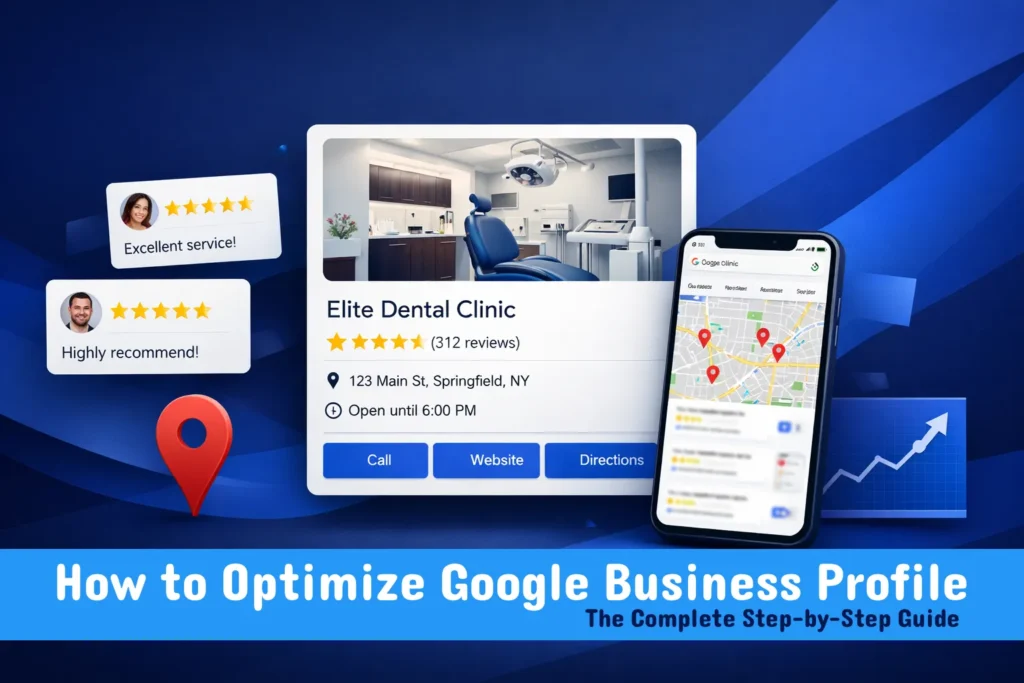
When a potential customer in Dubai searches for your type of business on Google, the first thing they see is not your website — it is the Google Business Profile of whichever businesses have optimised their presence best. If yours is incomplete, unverified, or poorly optimised, you are invisible to customers who are ready to buy right now.
In this complete guide, we walk through exactly how to optimize Google Business Profile step by step — covering every element from basic setup to advanced optimisation techniques that put your business at the top of Google Maps results in Dubai and across the UAE.
| Key Takeaway Optimising your Google Business Profile (GBP) is the single most impactful action you can take to improve your local search visibility. A fully optimised GBP increases your chances of appearing in the Google Maps Local Pack — where 70%+ of local searchers click. The key elements are: complete business information, keyword-rich description, high-quality photos, active review management, regular posts, and full service listings. |
What Is Google Business Profile and Why Does It Matter?
Google Business Profile (GBP) — formerly called Google My Business — is a free tool from Google that lets businesses manage how they appear in Google Search and Google Maps. It is the profile that shows your business name, address, phone number, hours, photos, reviews, and more when someone searches for you or your services locally.
For any business with a physical location or a service area, GBP is the foundation of local search visibility. According to Google’s own data, businesses with complete and accurate GBP listings are twice as likely to be considered reputable by customers and receive significantly more direction requests, website clicks, and phone calls than businesses with incomplete profiles.
If your business is not appearing in local search results, an incomplete or unoptimised GBP is often the primary cause. Our google my business seo services in dubai covers every aspect of GBP optimisation to maximise your visibility in Google Maps and local search results across the UAE.
Optimised vs Unoptimised Google Business Profile — What Is the Difference?
Before diving into how to optimize Google Business Profile, it helps to see exactly what separates a profile that dominates local search from one that is invisible. Here is a direct comparison:
| GBP Section | Optimised | Not Optimised |
| Business Description | Keyword-rich, 750 chars | Generic or missing |
| Photos | 20+ high-quality images | 0–2 low quality photos |
| Reviews | 100+ recent, responded to | Few, no responses |
| Services Listed | All services with descriptions | Missing or incomplete |
| GBP Posts | Weekly updates | Rarely or never posted |
| Q&A Section | Pre-answered FAQs | Empty or unanswered |
| Categories | Primary + 9 secondary | 1 generic category |
| Local Pack Ranking | Top 3 positions | Page 2 or invisible |
The difference in outcomes is stark. An optimised Google Business Profile consistently outranks unoptimised competitors for the same search queries — regardless of how long those competitors have been in business.
How to Optimize Google Business Profile — Complete Step-by-Step Guide
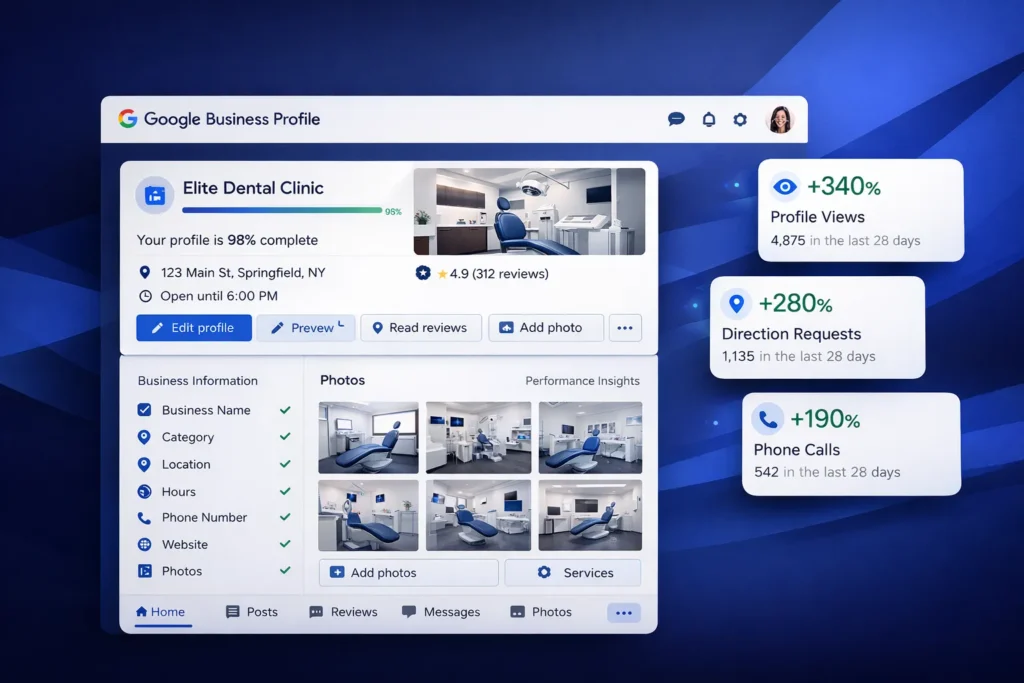
Here is the exact process we use when optimising Google Business Profiles for Dubai businesses. Follow every step for maximum impact.
Step 1: Claim and Verify Your Business
Before any optimisation is possible, you must claim and verify your GBP. Go to business.google.com, search for your business, and claim it. If it does not appear, create a new listing. Google will send you a verification code by postcard, phone, email, or video — the method varies by business type and location.
Verification is non-negotiable. An unverified profile cannot rank in the Local Pack regardless of how well everything else is optimised.
Step 2: Choose the Right Business Categories
Your primary category is the single most important GBP ranking factor. It tells Google what type of business you are and determines which search queries you appear for. Choose the most specific category that accurately describes your core business — not the broadest one.
You can also add up to 9 secondary categories. Use these to capture additional relevant searches. For example, a dental clinic might use ‘Dentist’ as primary and add ‘Cosmetic Dentist’, ‘Dental Implants Provider’, and ‘Emergency Dental Service’ as secondary categories.
Pro Tip: Never choose a category just because it has high search volume — it must accurately describe your business. Google penalises mismatched categories, and they can actually hurt your rankings for the queries you want to rank for. Use Google’s category suggestions and check what categories your top-ranking local competitors are using.
Step 3: Write a Keyword-Rich Business Description
Your GBP business description (up to 750 characters) is prime real estate for communicating what you do and signalling relevance to Google. Write a natural, compelling description that includes your primary keywords, your location, your key services, and what makes you different.
Example structure: What you do + Where you serve + Key services + Why choose you + Call to action. Avoid keyword stuffing — write for humans first, then ensure your important keywords appear naturally.
Step 4: Add Keywords to Your Google Business Profile
How to add keywords to Google Business Profile is one of the most common questions we receive. Unlike traditional SEO, GBP does not have a dedicated keyword field. Instead, keywords must be embedded naturally in:
● Business description — your most important keyword placement
● Service names and descriptions — each service listed can include keyword-rich text
● GBP posts — regular posts that include your target keywords
● Responses to reviews — naturally mention services and location when responding
● Q&A answers — pre-answer questions using your keywords contextually
● Photo file names and captions — name photos descriptively before uploading
Step 5: List All Your Services with Descriptions
Every service you offer should be listed in your GBP with a descriptive name and a 300-character description. This is one of the most overlooked optimisation opportunities — each service listing is an additional relevance signal that helps Google match you to specific search queries.
For a dental clinic: instead of just listing ‘Dental Services’, list ‘Teeth Whitening’, ‘Dental Implants’, ‘Invisalign’, ‘Root Canal Treatment’, and ‘Dental Veneers’ — each with its own keyword-rich description.
Step 6: Add High-Quality Photos Consistently
GBP profiles with photos receive 42% more direction requests and 35% more website clicks than those without. Upload a minimum of 20 high-quality images covering:
● Exterior photos — help customers find your location
● Interior photos — show your environment and create trust
● Team photos — humanise your business and build connection
● Product or service photos — showcase what you offer
● Before and after photos — highly effective for service businesses
● At-work photos — show your team delivering your service
Continue adding new photos regularly — at least 2 to 4 per month. Google’s algorithm considers photo recency as an engagement signal.
Step 7: Set Up and Manage Service Areas
How many service areas can you add to Google Business Profile? You can add up to 20 service areas to your GBP listing. This is particularly important for service-based businesses that travel to customers — plumbers, electricians, cleaners, and delivery services.
For Dubai businesses, add the specific emirates, cities, and neighbourhoods you serve — Business Bay, JLT, DIFC, Downtown Dubai, Dubai Marina, and so on. Each service area increases your relevance for searches in those locations.
Step 8: Build and Manage Reviews Actively
Reviews are one of the top three local ranking factors according to Google’s algorithm. Businesses with more recent, high-rating reviews consistently outrank competitors with fewer or older reviews.
1. After every customer interaction, send a direct link to your GBP review page via WhatsApp, email, or SMS.
2. Make the request personal — explain that their review genuinely helps your business.
3. Respond to every single review — both positive and negative — within 24 hours.
4. When responding to positive reviews, naturally mention your service and location.
5. Address negative reviews professionally and offer to resolve the issue offline.
Step 9: Post Regularly to Your GBP
GBP posts are short updates — similar to social media posts — that appear directly on your profile. They are an excellent signal to Google that your business is active and engaged, and they give you additional opportunities to include keywords.
Post at minimum once per week. Effective post types include: offers and promotions, new services or products, events, blog article summaries, team spotlights, and customer success stories. Each post can include a call-to-action button linking to your website.
Step 10: Set Up and Populate the Q&A Section
The Questions and Answers section of your GBP is highly visible — and entirely in your control. You can add questions yourself and answer them, pre-populating your profile with the most common queries your customers ask.
Add 5 to 10 FAQs covering: your pricing range, your services, your location and parking, your hours, your team’s qualifications, and your booking process. Use keywords naturally in both questions and answers.
Step 11: Enable Messaging and Booking
Activate GBP messaging so customers can contact you directly through Google Search and Maps. Businesses with messaging enabled receive significantly higher engagement than those without. Respond to messages within 24 hours to maintain your messaging status.
If you offer appointments or bookings, connect a booking system to your GBP so customers can book directly from your profile without ever visiting your website.
How to Find Your Google Business Profile ID
Your Google Business Profile ID is a unique identifier needed for certain integrations, support requests, and technical configurations. Here is how to find it:
1. Go to your Google Business Profile dashboard at business.google.com.
2. Click on the business you want to find the ID for.
3. Look at the URL in your browser’s address bar.
4. The long string of numbers in the URL is your GBP ID. It typically looks like: https://business.google.com/dashboard/l/[YOUR_ID_HERE]
5. Alternatively, search for your business on Google and click ‘View Profile’ — the ID appears in the URL.
How to Add a User or Manager to Google Business Profile
Managing your GBP effectively often requires giving team members or your SEO agency access to your profile. Here is exactly how to add users and managers.
How to Add a Manager to Google Business Profile
How to add manager to Google Business Profile: Adding a manager gives someone full access to manage your profile without transferring ownership. Here is the process:
1. Sign in to business.google.com with your owner account.
2. Select the business profile you want to manage.
3. Click on the three-dot menu and select ‘Business Profile Settings’.
4. Click ‘Managers’ then ‘Add’.
5. Enter the email address of the person you want to add.
6. Select their role: Owner, Manager, or Site Manager.
7. Click ‘Invite’. They will receive an email to accept the invitation.
Google Business Profile User Roles Explained
● Primary Owner: Full control including transferring ownership and deleting the profile. Only one Primary Owner per profile.
● Owner: Full management access including adding and removing managers. Multiple owners allowed.
● Manager: Can edit profile information, respond to reviews, add photos, and create posts. Cannot add or remove users.
● Site Manager: Limited access — can only manage website settings. Cannot edit business information or reviews.
Advanced Google Business Profile GBP Optimization Techniques
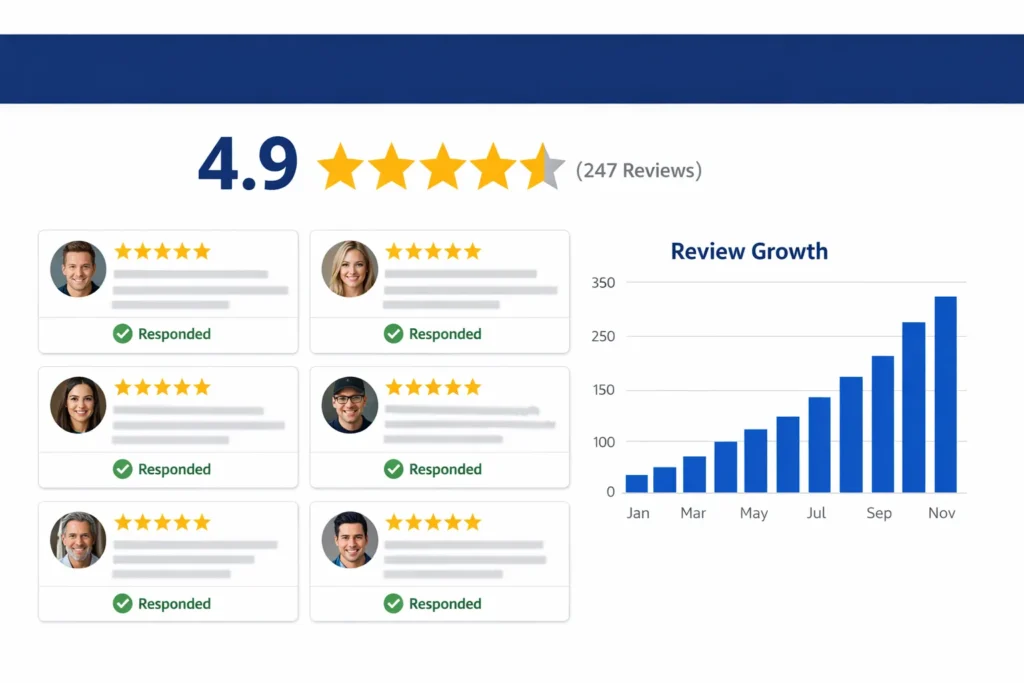
Once your basic profile is complete, these advanced GBP optimization techniques separate top-ranking profiles from average ones:
1. Use Google Business Profile Attributes
Attributes are additional details that help customers find businesses matching their specific needs — for example, ‘Women-led’, ‘LGBTQ+ friendly’, ‘Wheelchair accessible’, ‘Outdoor seating’, ‘Free Wi-Fi’, or ‘Accepts credit cards’. These attributes appear prominently on your profile and can significantly influence whether a customer chooses your business.
2. Create a Complete Product Catalogue
If you sell products, add them to your GBP with photos, descriptions, and prices. Product listings appear directly on your profile and in Google Shopping results — giving you additional visibility without any advertising cost.
3. Monitor and Respond to GBP Insights
GBP provides detailed analytics showing how customers find your profile, what they do once they find it, and where they are coming from. Monitor these insights monthly to understand which search queries are driving views, which photos are getting the most engagement, and whether customers are clicking through to your website or calling directly.
4. Link GBP to Google Search Console
Connecting your GBP to your website and monitoring performance through google search console service dubai gives you a complete picture of your local search performance — combining GBP insights with organic keyword data for a comprehensive view of your local visibility.
5. Implement Local Business Schema on Your Website
GBP optimisation works best when combined with proper schema markup on your website. Local Business schema tells Google your exact business details in a format it can read directly from your website — reinforcing the signals from your GBP. Our schema markup service in dubai implements all necessary schema types to maximise your local search visibility.
Expert Insight: GBP Optimisation in the Dubai Market
Expert Insight — 10 Years of GBP Optimisation in UAE
After optimising Google Business Profiles for hundreds of Dubai businesses, I have identified three factors that consistently separate the businesses ranking in the top 3 of the Local Pack from those invisible on page two. First, photo volume and recency — businesses that upload new photos weekly see 30 to 50% more profile views than those who uploaded photos once and stopped. Second, review velocity — not just the total number, but how recently reviews were posted. A business with 50 reviews in the last 90 days almost always outranks one with 200 reviews over three years. Third, GBP post frequency — weekly posts signal to Google that the business is active and engaged. In the Dubai market specifically, adding Arabic-language GBP posts alongside English posts significantly increases visibility for Arabic-speaking searchers.
Real Case Study: How a Dubai Restaurant Tripled Walk-In Customers Through GBP Optimisation
A casual dining restaurant in Dubai Marina came to us after consistently missing from Google Maps results despite being open for two years. Their GBP existed but was barely touched — 3 photos, no services listed, no posts, and only 7 reviews with no responses.
Here is the 90-day GBP optimisation we implemented:
1. Verified and completed all business information — corrected NAP data, added precise location, updated hours including Ramadan hours, and added WhatsApp number.
2. Optimised categories — changed primary from ‘Restaurant’ to ‘Middle Eastern Restaurant’ and added 6 secondary categories including ‘Halal Restaurant’, ‘Family Restaurant’, and ‘Casual Dining Restaurant’.
3. Wrote a keyword-rich 720-character business description targeting ‘restaurant Dubai Marina’, ‘halal food Dubai Marina’, and ‘family dining Dubai Marina’.
4. Uploaded 67 professional food and interior photos over 12 weeks — 5 to 6 new photos every week.
5. Listed all 34 menu items as products with photos and prices.
6. Launched a review collection campaign via WhatsApp — collected 89 new Google reviews in 90 days, all responded to within 12 hours.
7. Published 3 GBP posts per week — daily specials, weekend offers, and staff spotlight posts.
8. Pre-answered 8 questions in the Q&A section covering cuisine type, pricing range, parking, reservations, and dietary options.
Results after 90 days: The restaurant ranked in the Google Maps Local Pack for 14 food-related keywords including ‘restaurant Dubai Marina’ and ‘halal restaurant near JBR’. GBP profile views increased from 340 to 4,200 per month. Direction requests increased by 380%. Walk-in customers increased by 210%. Monthly revenue grew by AED 78,000 — attributed directly to new customers finding them through Google Maps.
Related Guides to Strengthen Your Local Search Presence
GBP optimisation is most powerful when combined with a complete local SEO strategy. These guides will help you build a comprehensive local search presence:
● What is Local SEO — Understand the complete framework of local search optimisation and how GBP fits into it.
● Why Your Business Is Not Showing on Google Maps — Diagnose and fix the specific reasons your business is invisible in local search.
● How to Increase Organic Traffic — SEO Expert Guide — Complement your GBP with strategies that grow your overall organic search visibility.
Conclusion: Start Optimising Your Google Business Profile Today
Knowing how to optimize Google Business Profile is one of the highest-leverage skills any local business owner or marketer can develop. In a market as competitive as Dubai, the difference between appearing in the top 3 of Google Maps and being invisible often comes down to the completeness and consistency of your GBP optimisation.
The steps in this guide are not complicated — but they require consistent execution. Complete every section of your profile, add photos regularly, collect reviews systematically, post weekly, and monitor your performance monthly. Do these things consistently and your GBP will become your most powerful, cost-free source of new customers.
Whether you are a restaurant in Dubai Marina, a clinic in JLT, a law firm in DIFC, or a service business covering all of Dubai — an optimised Google Business Profile puts you in front of the right customers at exactly the right moment: when they are searching and ready to buy.Need expert help to optimize your Google Business Profile and dominate local search in Dubai? Our team at seo agency dubai provides comprehensive GBP optimisation and local SEO services tailored to the UAE market. Get your free local SEO audit today and discover exactly what is holding your profile back from the top of Google Maps
Frequently Asked Questions — How to Optimize Google Business Profile
How do I optimize Google Business Profile for better rankings?
Complete every section of your profile — business description, categories, services, hours, and contact information. Upload high-quality photos consistently, collect and respond to reviews actively, publish GBP posts weekly, and answer questions in the Q&A section. These actions together significantly improve your Local Pack rankings.
How to add keywords to Google Business Profile?
GBP does not have a dedicated keyword field. Instead, embed keywords naturally in your business description, service listings and descriptions, GBP posts, review responses, Q&A answers, and photo captions. Consistent, natural keyword usage across all these elements signals relevance to Google without violating GBP guidelines.
How to find Google Business Profile ID?
Log in to your GBP dashboard at business.google.com, select your business, and check the URL in your browser’s address bar. The long string of numbers in the URL is your unique GBP ID. You can also find it by searching for your business on Google, clicking ‘View Profile’, and checking the URL that appears.
How to add a user to Google Business Profile?
Go to business.google.com, select your business, click the three-dot menu, then ‘Business Profile Settings’, then ‘Managers’. Click ‘Add’, enter the person’s email address, select their role (Owner, Manager, or Site Manager), and click ‘Invite’. They will receive an email with the invitation to accept.
How to add a manager to Google Business Profile?
Follow the same process as adding a user. When selecting the role, choose ‘Manager’. Managers have full access to edit your profile, respond to reviews, add photos, and create posts — but cannot add or remove other users or transfer ownership.
How many service areas can you add to Google Business Profile?
You can add up to 20 service areas to your Google Business Profile. Service areas are especially important for businesses that travel to customers rather than serving them at a fixed location — such as plumbers, electricians, delivery services, and mobile businesses. For Dubai businesses, list specific emirates, cities, and neighbourhoods you serve.
Does Google Business Profile directly improve SEO?
GBP directly improves your local SEO — specifically your ability to rank in Google Maps and the Local Pack. It does not directly influence traditional organic rankings for non-local queries. However, increased local visibility leads to more website clicks, brand searches, and reviews — all of which indirectly benefit your overall SEO performance.
How often should I post on Google Business Profile?
Post at minimum once per week. Daily posting is even better for businesses in competitive markets. Regular posts signal to Google that your business is active and engaged — which positively influences local rankings. Each post should be relevant, helpful, and include your target keywords naturally.
How many photos should my Google Business Profile have?
Start with a minimum of 20 high-quality photos and continue adding 2 to 4 new images every month. GBP profiles with more photos consistently receive more profile views and customer actions than those with few images. Vary your photo types to include exterior, interior, team, products, and service delivery shots.
What is the best Google Business Profile optimization service?
The best GBP optimisation services provide complete profile setup, keyword-rich content writing, ongoing photo management, review collection campaigns, weekly posting, and performance reporting. Our google my business seo services in dubai covers every aspect of GBP optimisation for Dubai businesses — from initial setup to ongoing management that keeps your profile ranking at the top.
Can I optimise my GBP myself or do I need an expert?
Basic GBP optimisation can be done yourself following this guide. However, for competitive Dubai industries — real estate, healthcare, legal, hospitality — working with experts in Google Business Profile optimization delivers significantly faster and stronger results. Professionals bring keyword research, competitor analysis, and systematic optimisation that most business owners do not have time to execute consistently.
What is GBP optimization and how is it different from regular SEO?
Google Business Profile GBP optimization specifically focuses on improving your visibility in Google Maps and local search results — the Local Pack of three businesses that appears at the top of location-based searches. Regular SEO focuses on organic website rankings. Both are important, but GBP optimisation delivers results specific to local search and drives customers to contact you directly from Google — without needing to visit your website.
How does review management affect GBP rankings?
Reviews are one of Google’s top three local ranking factors. Your average star rating, review quantity, recency of reviews, and how consistently you respond to reviews all influence your Local Pack position. A business that actively collects new reviews every month and responds to all of them will consistently outrank a competitor with a similar rating but stagnant, unresponded reviews.
What should I do if my GBP ranking drops suddenly?
A sudden GBP ranking drop is usually caused by: a Google algorithm update, a competitor outperforming you in reviews or posts, a change to your business information (especially category changes), or a reported violation. Start by checking your GBP dashboard for any notifications or suspensions, then run a seo audit dubai to identify whether website-related issues are contributing to the drop.
How do I connect my website to my Google Business Profile for better local SEO?
Add your website URL to your GBP, ensure your NAP information is identical on both your website and GBP, implement Local Business schema markup on your website, and link your GBP to Google Search Console. This creates a consistent, verified signal between your website and your GBP that strengthens both your local rankings and your organic search visibility. Our local seo services dubai integrates GBP optimisation with your complete local search strategy.